AI Tools for Developer Productivity
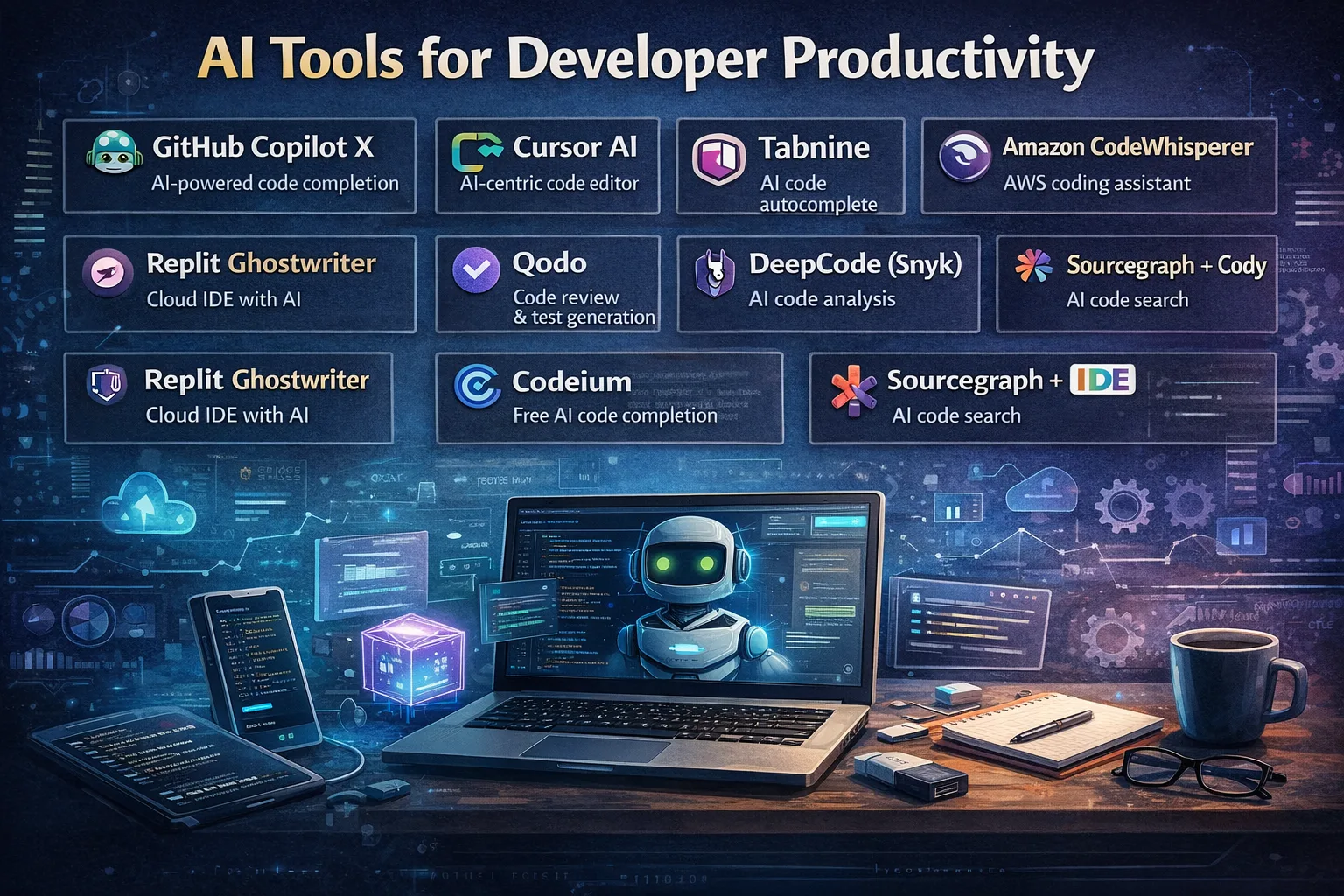
Table of Contents
Introduction: The Developer Productivity Revolution
The software development landscape has undergone a dramatic transformation in 2024-2025. With developers losing an average of 8+ hours per week to inefficiencies, the quest for productivity enhancement has never been more critical. Recent studies reveal that 52% of developers agree that AI tools have had a positive effect on their productivity, making AI-powered development tools not just a trend, but a necessity for competitive advantage.
This comprehensive guide explores the latest AI tools for developer productivity, backed by real data, ROI metrics, and actionable insights to help you make informed decisions about integrating AI into your development workflow.
What Are AI Tools for Developer Productivity?
AI tools for developer productivity are sophisticated software applications that leverage large language models (LLMs) and machine learning to streamline various aspects of the software development lifecycle. These tools act as intelligent assistants, providing:
- Intelligent code completion and generation
- Real-time debugging and error resolution
- Automated code reviews and quality analysis
- Test case generation and validation
- Security vulnerability detection
- Documentation creation and maintenance
- Cross-language code translation
Unlike traditional development tools, AI-powered solutions understand context, learn from your codebase, and provide proactive suggestions that adapt to your specific development patterns and organizational standards.
The Current State of Developer Pain Points (2024-2025)
Understanding developer challenges is crucial for selecting the right AI solutions. Recent research reveals the most significant productivity bottlenecks:
Top Developer Pain Points
- Context Gathering (26% of respondents)
- Developers spend excessive time understanding project structure
- Difficulty finding relevant documentation and code examples
-
Challenges in onboarding to new projects
-
Waiting for Approvals (26% of respondents)
- Manual approval processes disrupting flow state
- Delayed code reviews and feedback cycles
-
Bottlenecks in deployment and release processes
-
Maintenance and Bug Fixes (26% of respondents)
- Unplanned work consuming 30-40% of developer time
- Legacy code maintenance challenges
-
Technical debt accumulation
-
Onboarding Delays
- 72% of organizations report new hires take 1+ months to submit meaningful PRs
- 18% cite onboarding periods exceeding 3 months
- Steep learning curves for complex systems
Productivity Statistics That Matter
- 69% of developers lose 8+ hours weekly to inefficiencies
- 90% of engineering leaders rate productivity improvement as a top priority
- Average confidence in team productivity: 6.65/10
- AI tools increase individual developer output by 20-40%
Categories of AI Developer Tools
AI tools for developers can be categorized into several key areas, each addressing specific pain points in the development lifecycle:
1. Code Generation and Autocomplete Tools
Primary Function: Accelerate code writing through intelligent suggestions and automated generation.
Key Benefits: - Reduce coding time by 30-50% - Improve code consistency and best practices adherence - Generate boilerplate code and documentation
Popular Tools: GitHub Copilot, Tabnine, Amazon CodeWhisperer, Sourcegraph Cody
2. Code Review and Quality Assurance
Primary Function: Analyze code for bugs, security vulnerabilities, and quality issues.
Key Benefits: - Catch issues before production deployment - Enforce coding standards automatically - Reduce code review time by up to 91%
Popular Tools: Qodo (formerly CodiumAI), DeepCode AI, Codiga, Greptile
3. Debugging and Error Resolution
Primary Function: Identify and suggest fixes for bugs and performance issues.
Key Benefits: - Reduce debugging time by 40-60% - Provide contextual error explanations - Suggest optimization opportunities
Popular Tools: Visual Studio AI Debugging, Replit AI, Intellicode
4. Testing and Validation
Primary Function: Generate and execute comprehensive test suites.
Key Benefits: - Achieve 90%+ test coverage automatically - Reduce test development time by 70% - Improve code reliability and maintainability
Popular Tools: Qodo Cover, Test.ai, Mabl
5. Documentation and Knowledge Management
Primary Function: Generate and maintain project documentation automatically.
Key Benefits: - Keep documentation synchronized with code changes - Improve developer onboarding efficiency - Reduce knowledge silos within teams
Popular Tools: GitBook AI, Notion AI, Sourcegraph Cody
Top AI Tools for Developer Productivity: Detailed Analysis
Based on comprehensive testing and real-world usage data, here are the leading AI tools transforming developer productivity in 2025:
1. GitHub Copilot
Best For: General-purpose coding assistance and autocomplete
Key Features: - Real-time code suggestions based on context - In-IDE chat functionality for debugging and explanations - Support for 70+ programming languages - Integration with Visual Studio Code, JetBrains, and Neovim
Pricing: - Free Plan: Limited features (50 AI chats, 2,000 completions/month) - Pro: $10/month (individuals, unlimited features) - Business: $19/user/month - Enterprise: $39/user/month (advanced security and compliance)
ROI Impact: Teams report 21% more tasks completed and 98% more pull requests per developer
2. Tabnine
Best For: Enterprise-grade code completion with privacy controls
Key Features: - Contextual code completions based on your codebase - Automatic code documentation generation - Enterprise deployment with on-premises options - Support for 40+ programming languages
Pricing: - Free: Basic AI code completions - Pro: $9/user/month (full AI features) - Enterprise: $39/user/month (self-hosting, advanced AI agents)
ROI Impact: 40% reduction in coding time for enterprise teams with strict data privacy requirements
3. Qodo (formerly CodiumAI)
Best For: Comprehensive code quality and testing automation
Key Features: - Automated test generation with 95%+ coverage - AI-powered code reviews and PR summaries - Security vulnerability scanning - Integration with VS Code, JetBrains, and CI/CD pipelines
Pricing: - Developer: Free (250 credits, basic features) - Teams: $30/user/month (2,500 credits, PR descriptions, compliance) - Enterprise: Custom pricing (full platform access, SSO, priority support)
ROI Impact: 20% improvement in engineering productivity on context gathering and deployment tasks
4. Amazon CodeWhisperer
Best For: AWS-native development and cloud-optimized code
Key Features: - Tailored suggestions for AWS services and architectures - Security scanning for cloud-native applications - Reference tracking and license compatibility - Integration with AWS Cloud9 and Visual Studio Code
Pricing: - Individual: Free (unlimited code suggestions) - Professional: $19/user/month (organization features, enhanced security)
ROI Impact: 25% faster AWS development with reduced cloud infrastructure errors
5. Sourcegraph Cody
Best For: Large codebase understanding and cross-repository development
Key Features : - Codebase-wide context and search capabilities - Support for multiple LLMs (Claude, GPT-4, Gemini) - Custom prompts for specific workflows - Unit test generation and optimization suggestions
Pricing: - Free: Limited daily messages - Pro: $9/month (individuals, unlimited usage) - Enterprise: $19-$59/user/month (advanced features, team collaboration)
ROI Impact: 50% reduction in time spent understanding legacy codebases
6. Windsurf
Best For: Modern IDE experience with AI-powered development
Key Features : - Unlimited code completions and multi-line suggestions - IDE-integrated chat with refactor and explain features - Support for 70+ programming languages - Prompt-driven development workflows
Pricing: - Free: Unlimited basic completions, 25 premium prompts/month - Pro: $15/user/month (500 AI prompt credits) - Enterprise: $60/user/month (1,000 credits, volume discounts)
ROI Impact: 35% improvement in development velocity for teams adopting prompt-driven workflows
ROI and Productivity Metrics: The Business Case for AI Tools
Understanding the return on investment is crucial for organizational adoption. Here's what the data reveals:
Individual Developer Productivity Gains
Quantifiable Improvements: - 20-40% increase in code output - 21% more tasks completed per developer - 47% more pull requests touched per day - 30-50% reduction in coding time for repetitive tasks
Team-Level Impact
Mixed Results Require Process Changes: - 91% increase in PR review time (becoming new bottleneck) - 9% increase in bug count (quality trade-off) - No measurable improvement in DORA metrics without process optimization
Cost-Benefit Analysis
Investment Ranges (per developer/month): - Entry Level: $10-15 (GitHub Copilot, basic tools) - Professional: $20-30 (advanced features, team collaboration) - Enterprise: $40-60 (compliance, security, custom deployment)
Typical ROI Timeline: 3-6 months for individual productivity gains, 6-12 months for team-level improvements with proper implementation.
Measuring Success: Key Metrics
Primary KPIs to Track : 1. Lead Time for Changes: Time from feature request to deployment 2. Deployment Frequency: How often code is deployed to production 3. Mean Time to Restore (MTTR): Time to recover from incidents 4. Change Failure Rate: Percentage of deployments causing failures 5. Developer Satisfaction: Team sentiment and engagement scores
How to Choose the Right AI Tool for Your Team
Selecting the optimal AI development tool requires careful consideration of multiple factors:
1. Assess Your Team's Specific Needs
Key Questions to Ask: - What are your primary productivity bottlenecks? - Which programming languages and frameworks do you use? - What's your team size and collaboration requirements? - Do you have specific security or compliance needs?
2. Evaluate Integration Capabilities
Critical Integration Factors: - IDE Compatibility: Ensure tools work with your development environment - Version Control Integration: Seamless GitHub, GitLab, or Bitbucket integration - CI/CD Pipeline Support: Compatibility with existing deployment workflows - API and Plugin Ecosystem: Extensibility for custom workflows
3. Consider Privacy and Security Requirements
Enterprise Considerations: - Data Residency: On-premises vs. cloud-based processing - Code Privacy: How your code is used for model training - Compliance Standards: SOC 2, ISO 27001, GDPR requirements - Access Controls: Role-based permissions and audit trails
4. Start with a Pilot Program
Recommended Approach: 1. Select 2-3 tools for comparison testing 2. Run 30-60 day pilot with willing early adopters 3. Measure baseline metrics before implementation 4. Gather feedback through surveys and interviews 5. Make data-driven decisions for full rollout
Best Practices for AI Tool Implementation
Successfully integrating AI tools requires strategic planning and change management:
1. Develop Clear Usage Guidelines
Establish Policies For: - Acceptable use cases and boundaries - Code review processes for AI-generated content - Security scanning and vulnerability assessment - Documentation and knowledge sharing standards
2. Invest in Training and Onboarding
Training Components: - Tool-specific workshops for maximum feature utilization - Best practices sharing across teams - Prompt engineering skills for better AI interactions - Quality assurance techniques for AI-generated code
3. Monitor and Optimize Continuously
Regular Review Process: - Monthly productivity metrics review - Quarterly tool performance assessment - Annual ROI analysis and tool portfolio optimization - Feedback collection from development teams
4. Address Common Challenges Proactively
Potential Issues and Solutions: - "Almost right" AI code: Implement thorough review processes - Increased PR review time: Automate initial screening and add reviewers - Quality concerns: Establish testing and validation standards - Team resistance: Demonstrate value through pilot programs
The Future of AI in Software Development
Emerging Trends and Predictions
2025-2026 Forecasts :
- Native AI Integration: IDEs will have built-in AI capabilities
- New Metrics Evolution: "Prompt-to-release time" and "AI productivity scores"
- Tool Consolidation: Market consolidation around 3-5 major platforms
- Agentic Development: AI agents handling entire feature implementations
- Specialized Models: Domain-specific AI models for different programming languages
Next-Generation Capabilities
Upcoming Features: - Autonomous Code Refactoring: AI agents automatically optimizing entire codebases - Predictive Debugging: Identifying potential issues before they occur - Cross-Platform Deployment: Automated multi-platform build and deployment - Intelligent Documentation: Self-maintaining project documentation - Performance Optimization: AI-driven code performance improvements
Real-World Success Stories
Case Study 1: Enterprise Software Company
Challenge: 200+ developers losing 12 hours/week to manual code reviews and documentation
Solution: Implemented Qodo for automated testing and GitHub Copilot for coding assistance
Results: - 40% reduction in code review time - 25% improvement in test coverage - $500K annual savings in development costs - 6-month ROI achievement
Case Study 2: Startup Technology Company
Challenge: Small team struggling with rapid scaling and technical debt
Solution: Adopted Tabnine for code consistency and Sourcegraph Cody for codebase navigation
Results: - 50% faster onboarding for new developers - 30% reduction in bug-related incidents - Improved code quality scores from 6.5/10 to 8.2/10 - Enhanced team collaboration and knowledge sharing
Implementation Roadmap: Your 90-Day Plan
Phase 1: Assessment and Planning (Days 1-30)
Week 1-2: Team Assessment - Survey developers on current pain points - Analyze current productivity metrics - Identify high-impact use cases
Week 3-4: Tool Selection - Research and shortlist 3-5 tools - Conduct vendor demos and trials - Develop business case and budget
Phase 2: Pilot Implementation (Days 31-60)
Week 5-6: Pilot Launch - Select 10-15 willing participants - Provide training and onboarding - Establish baseline measurements
Week 7-8: Monitoring and Support - Daily check-ins with pilot users - Collect feedback and usage data - Address technical issues promptly
Phase 3: Evaluation and Scale (Days 61-90)
Week 9-10: Analysis - Compare before/after metrics - Conduct user satisfaction surveys - Calculate ROI and business impact
Week 11-12: Full Rollout - Plan organization-wide deployment - Develop training materials - Establish ongoing support processes
Frequently Asked Questions
General Questions
Q: Are AI coding tools replacing developers? A: No, AI tools are designed to augment developer capabilities, not replace them. They handle repetitive tasks and provide suggestions, allowing developers to focus on complex problem-solving and innovation .
Q: How much can AI tools improve developer productivity? A: Studies show 20-40% increases in individual developer output, with some teams reporting up to 50% improvement in specific workflows like code generation and debugging.
Q: What programming languages do AI coding tools support? A: Most tools support 40+ programming languages, with JavaScript, Python, TypeScript, Java, C++, and Go being the most commonly supported.
Implementation Questions
Q: How long does it take to see ROI from AI development tools? A: Individual productivity gains typically appear within 30 days, while team-level ROI usually materializes within 3-6 months with proper implementation .
Q: Do AI tools work with legacy codebases? A: Yes, modern AI tools are specifically designed to understand and work with legacy systems. Tools like Sourcegraph Cody excel at large codebase navigation and modernization .
Q: How do I ensure code quality with AI-generated code? A: Implement robust review processes, automated testing, and establish clear quality standards. Tools like Qodo can automatically generate comprehensive test suites to validate AI-generated code.
Conclusion: Embracing the AI-Powered Development Future
The integration of AI tools into software development workflows represents a fundamental shift in how we build software. With 52% of developers already experiencing positive productivity gains from AI tools, and organizations reporting 20-40% improvements in development velocity, the question is not whether to adopt AI development tools, but how to do so strategically.
Key Takeaways
- Start Small: Begin with pilot programs to demonstrate value before organization-wide deployment
- Focus on Pain Points: Target specific productivity bottlenecks rather than implementing tools indiscriminately
- Invest in Training: Success depends on proper onboarding and skill development
- Measure Rigorously: Track both quantitative metrics and qualitative feedback
- Plan for Change: AI adoption requires process optimization, not just tool implementation
Next Steps
- Assess your team's current productivity challenges
- Identify 2-3 AI tools that address your specific needs
- Develop a pilot program with clear success metrics
- Invest in training and change management
- Scale successful implementations across your organization
The future of software development is AI-augmented, and teams that embrace this transformation thoughtfully will gain significant competitive advantages in speed, quality, and innovation capacity.